That day, one of my team members asked me how he could generate a table creation script and a data insert script of that table. I replied that "Table creation script is pretty straightforward. You can tweak creation script option to include the insert script as well." Here goes the steps.
- Right click on the table you want to generate a script. Then from Tasks-> Generate script and a wizard window will pop-up (Figure-1).
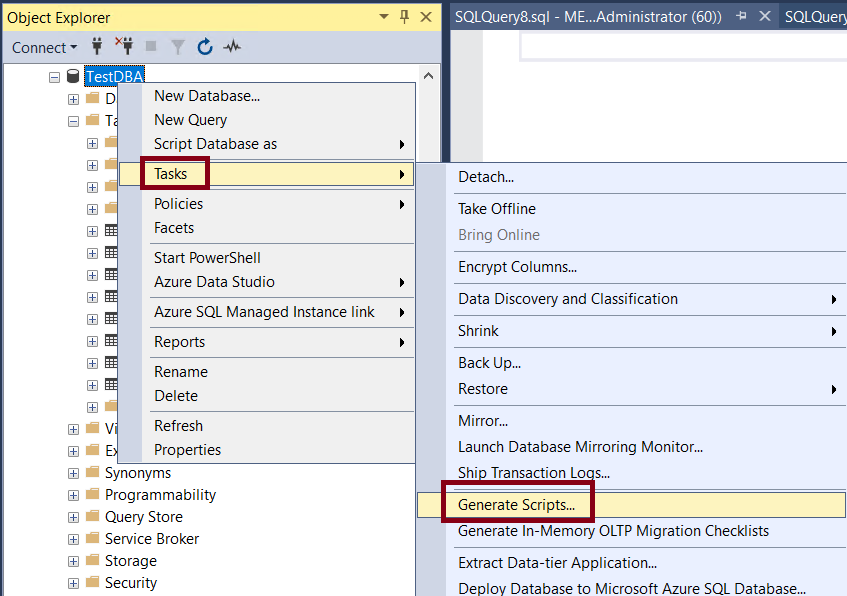
Figure-1
- Choose Specific database objects then select your desired table (Figure-2).
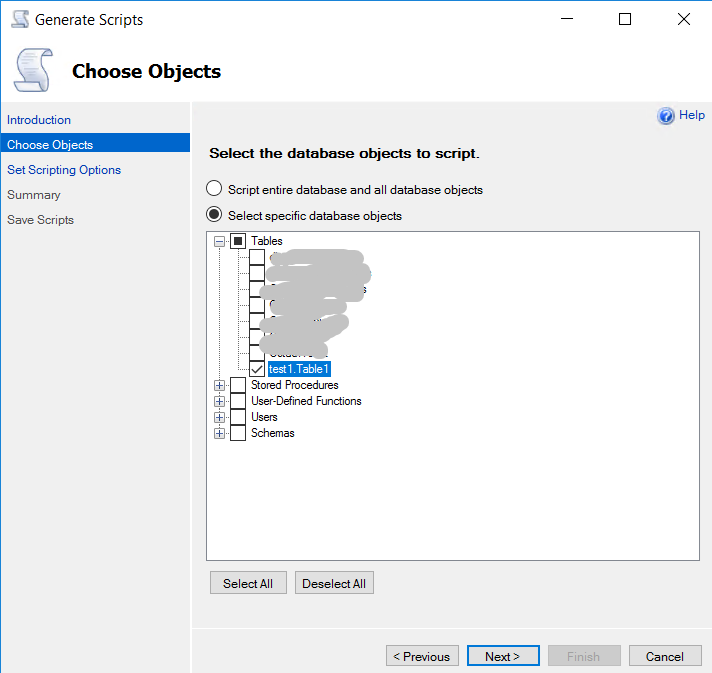
Figure-2
- From Set Scripting Options, click on Advance button and from Types of data to script select Schema and data (Figure-3).
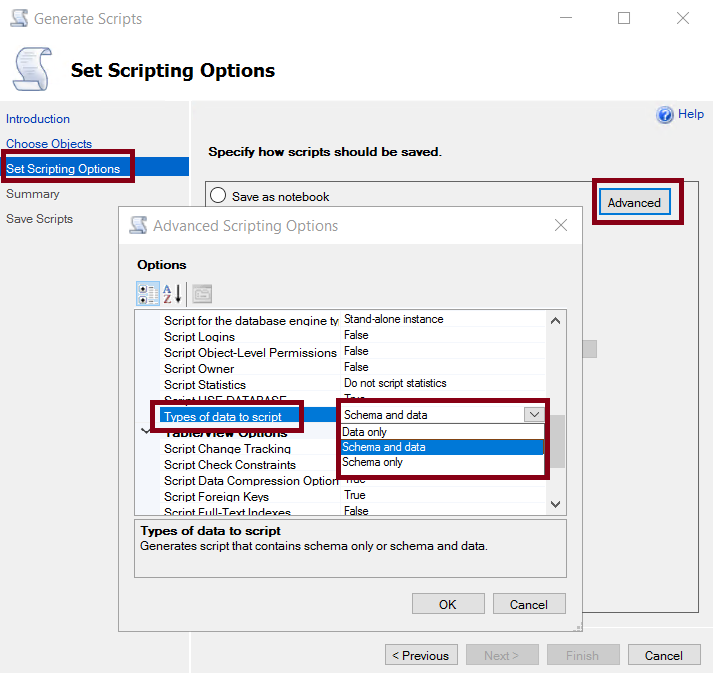
Figure-3
- Gotcha you have the desired script (Figure-4)!
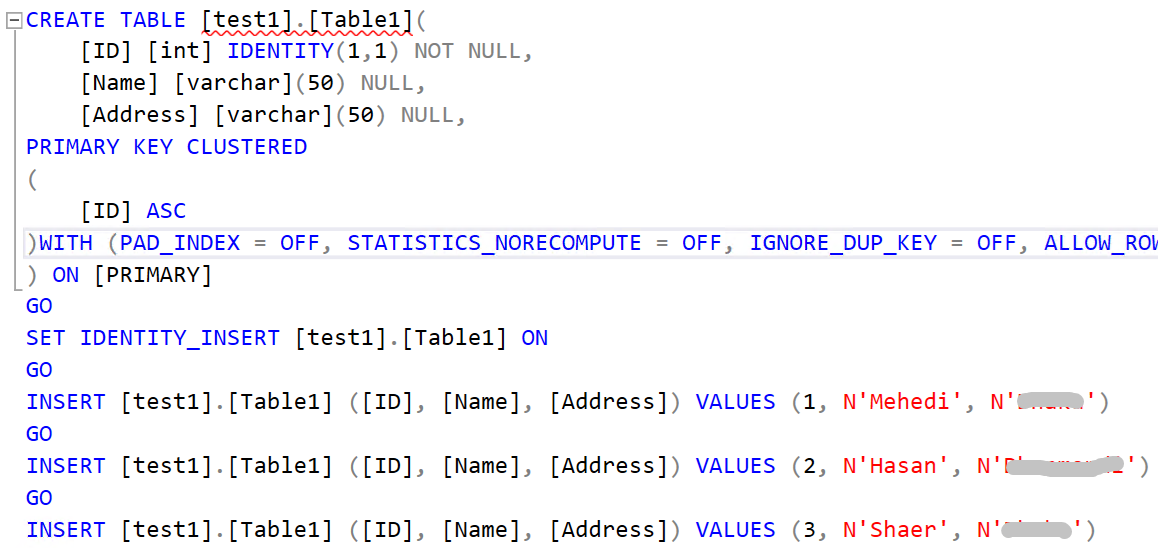
Figure-4
Final Words
This handy tweaking will save you from manually insert data to a table. Have a nice day!
Going Further
If SQL Server is your thing and you enjoy learning real-world tips, tricks, and performance hacks—you are going to love my training sessions too!
Need results fast? I am also available for 1-on-1 consultancy to help you troubleshoot and fix your database performance issues.
Let’s make your SQL Server to take your business Challenge!
For any queries, mail to mamehedi.hasan[at]gmail.com.