In SQL Server, performance issues are usually the result of waiting. It is not due to CPU or memory shortages. Every query, at some point, waits for resources like CPU, disk I/O, locks, or memory. The real challenge for a DBA is identifying which wait actually matters. While SQL Server provides DMVs like sys.dm_os_wait_stats, they show aggregated data. What we often need instead is a real-time view of waits at the session level. In this part, we will explore how to use sp_WhoIsActive to identify top waits those really matters. Let's start.

Putting SQL Server in Stress
Let's connect SSMS and open two query windows in your AdventureWorks2022 database. Execute the same Query Snippet-1 in the two separate windows. The first query will be successful and others will be blocked.
BEGIN TRAN
GO

UPDATE TOP(10) [Purchasing].[PurchaseOrderDetail]
SET OrderQty = OrderQty + 100;

--rollback

Query Snippet - 1
Connect SQLQueryStress AdventureWorks2022 database (Figure-2) and run Query Snippet-2.
ssSELECT *
FROM Sales.SalesOrderDetail sod
CROSS JOIN Production.TransactionHistory th
WHERE th.TransactionType <> 'W'
OPTION (MAXDOP 1);

Query Snippet-2
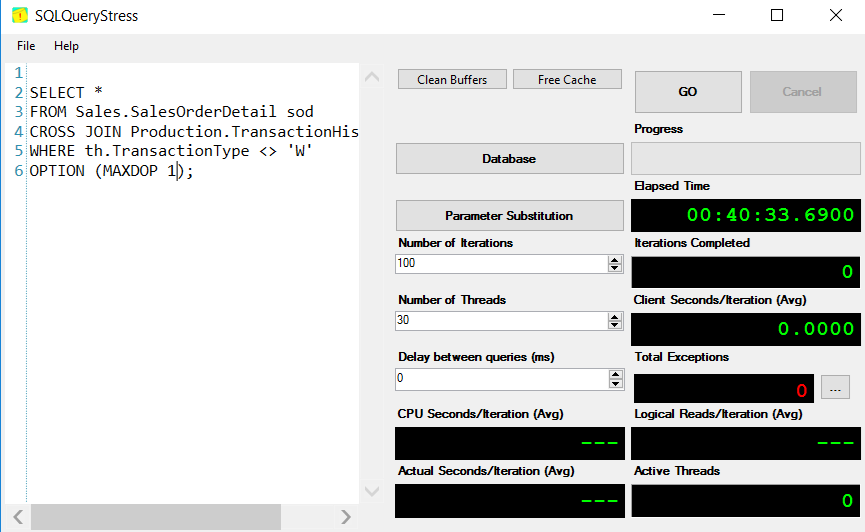
Figure-2: Running run Query Snippet-2 in SQLQueryStress
Identifying the Important Wait Types
We have put enough stress on the database. Now execute Query Snippet-3 which will detect the important wait types of your system.
EXEC sp_WhoIsActive
    @get_task_info = 2
Query Snippet - 3

Figure-3: Running run Query Snippet-2 in SQLQueryStress
Column wait_info reveals the wait types in below formats:
- (1x: MINms)[wait_type] - One task with wait_type is waiting. Here MINms is waiting time of this task in milliseconds. For example, For the first row (Figure-3), a task with LCK_M_U wait type is waiting for 2434.78 sec.
- (2x: MINms/MAXms)[wait_type] - Two tasks are waiting. Here MINms is the min, and MAXms is the max wait time of the two tasks.
- (Nx: MINms/AVGms/MAXms)[wait_type] - Three or more tasks are waiting.
- Nx - is the number of tasks
- MINms - min wait time of the tasks
- AVGms - average wait duration of the tasks
- MAXms - max wait duration of the tasks
Is It Problematic?
Assume a query is running long time and you not sure whether the current runtime is abnormal, sp_WhoIsActive provides an excellent option @get_avg_time. It adds a column showing the average execution time of that statement, allowing you to compare current vs past performance. However, this works only if SQL Server has cached historical execution stats. If the cache was recently cleared (restart, memory pressure, or config changes), the data may not be available.
Final Words
Not every wait is a problem—but the right wait can tell you exactly where the problem is. sp_WhoIsActive gives you the visibility to spot those signals in real time. The key is to focus, interpret, and act based on what actually impacts your workload.
References
Going Further
If SQL Server is your thing and you enjoy learning real-world tips, tricks, and performance hacks—you are going to love my training sessions too!
Need results fast? I am also available for 1-on-1 consultancy to help you troubleshoot and fix your database performance issues.
Let’s make your SQL Server to take your business Challenge!
For any queries, mail to mamehedi.hasan[at]gmail.com.