SQL Server can experience critical issues such as failed jobs, backup failures, and unexpected errors at any time. Without proper alerting, these problems may go unnoticed until they start affecting business operations. SQL Server Database Mail provides a way to send email notifications about important events and failures. In this article, we will explore how to configure Database Mail, set up alerts, troubleshoot common issues, and follow best practices to ensure critical notifications reach the right people.
Figure-2: DBA's Guide to SQL Server Database Mail
Database Mail
SQL Server Database Mail is an enterprise email solution that allows SQL Server to send email messages through an SMTP server. It can be used to send job failure notifications, database alerts, query results, and automated reports. Database Mail works with SQL Server Agent to notify DBAs about job failures and other important events in reliable way.
Database Mail Account Configuration
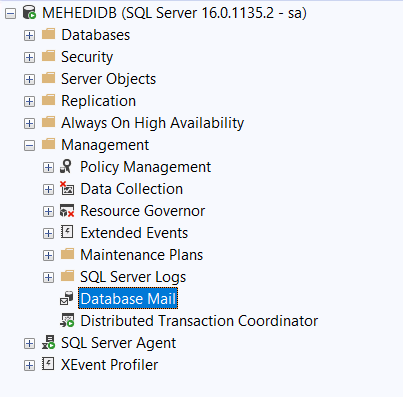
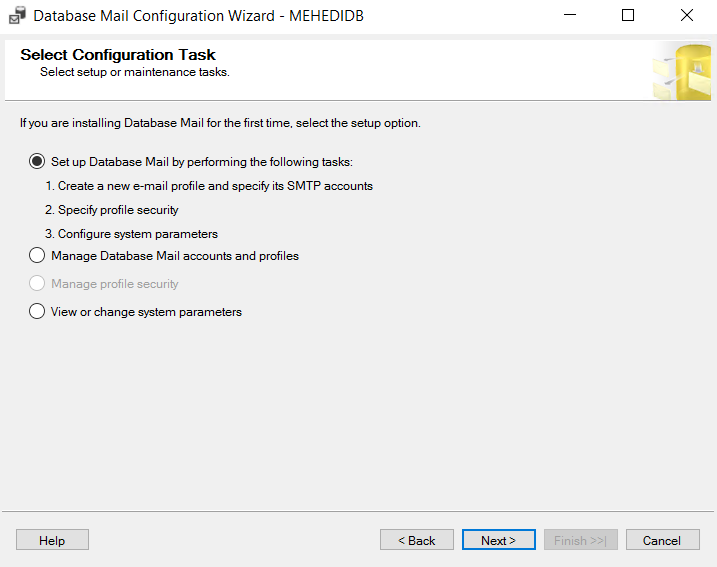
Double click on Database Mail (Figure:-2) from your SQL Server instance->Object Explorer->Management. Click on Next button.
 |
 |
| Figure-2: Object Explorer |
Figure-3: Mail Configuration Wizard |
Put required information and press Ok to close the form (Figure-4).
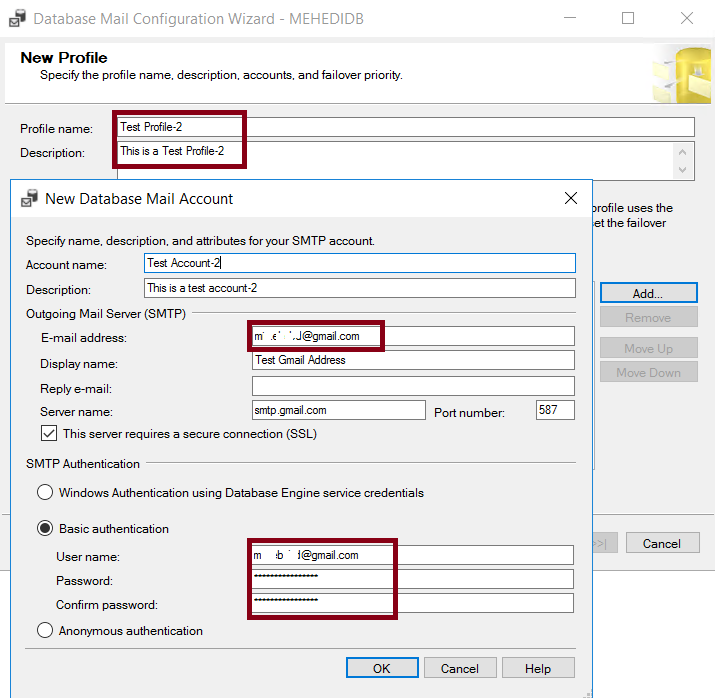
Figure-4: Mail Configuration Wizard
After that press Next to complete the setup and you will receive the success message (Figure-5).
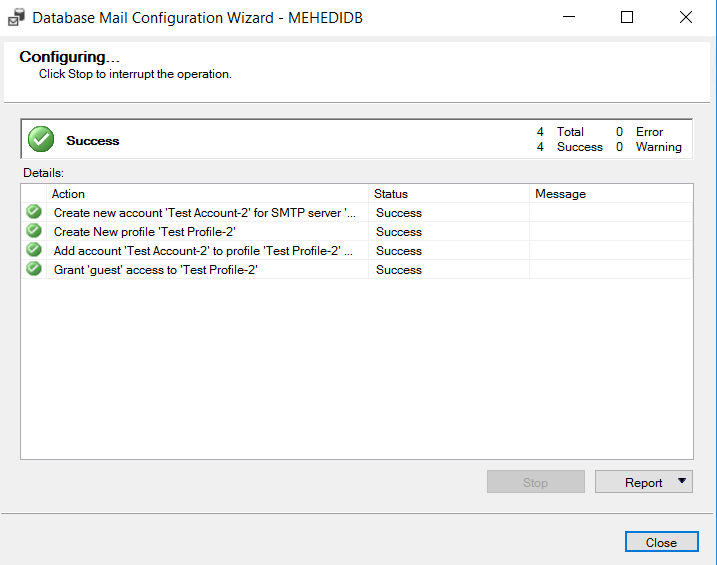
Figure-5: Mail configuration completed
Send Test Mail
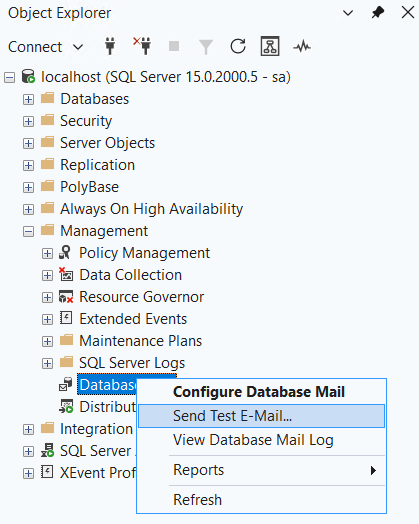
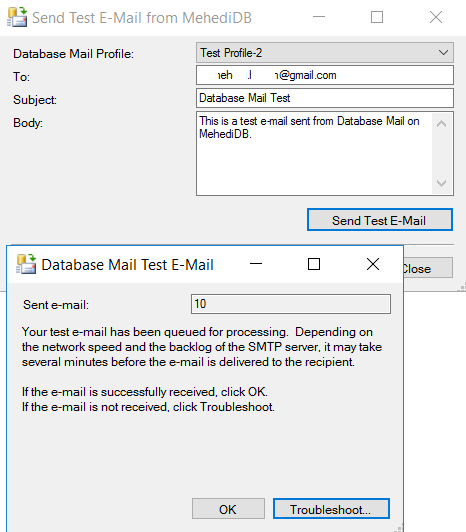
You can send test mail from Object Explorer->Send Test E-Mail option, put your desired email and click on Send Test Mail.
 |
 |
 |
| Figure-6: Object Explorer |
Figure-7: Mail Configuration Wizard |
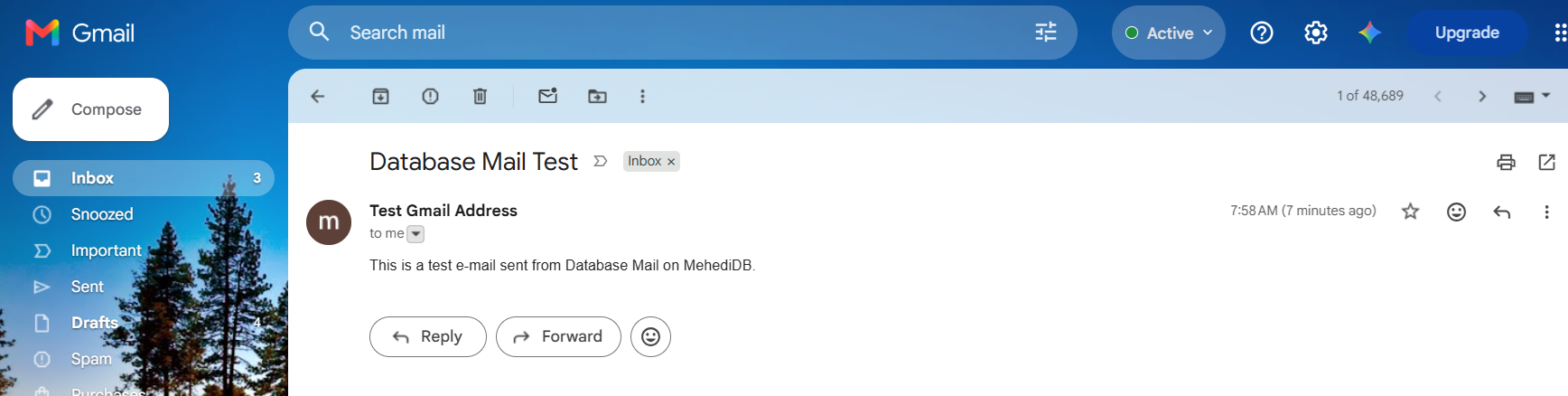
Figure-8: Sample Test Mail |
Configure Automated Mail
Right click on Operators from Object Explorer ->SQL Server Agent and click on New Operator. Put name, and receiver's email address and click OK (Figure-9).
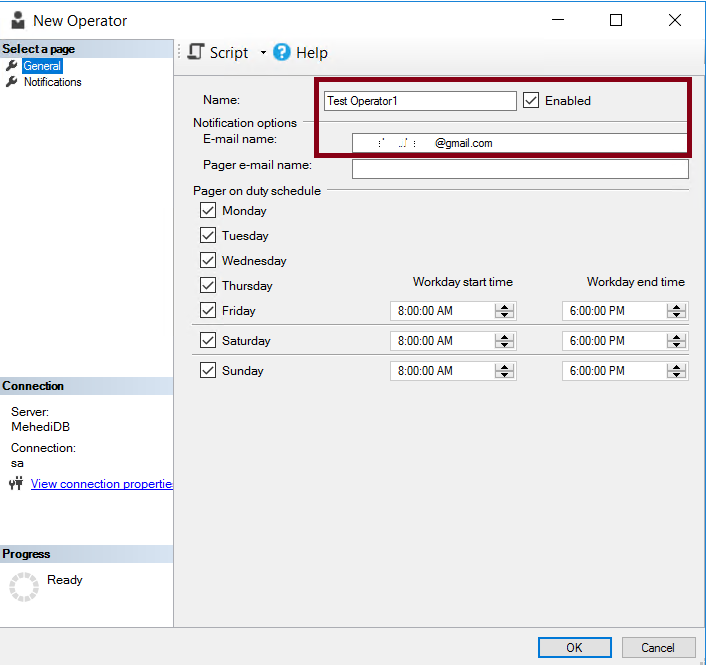
Figure-9: New Operator Setup
Right click on SQL Server Agent -> Properties->Alert System. Select Mail system, Mail profile and Check Include body of e-mail in the notification message. Finally, press OK.
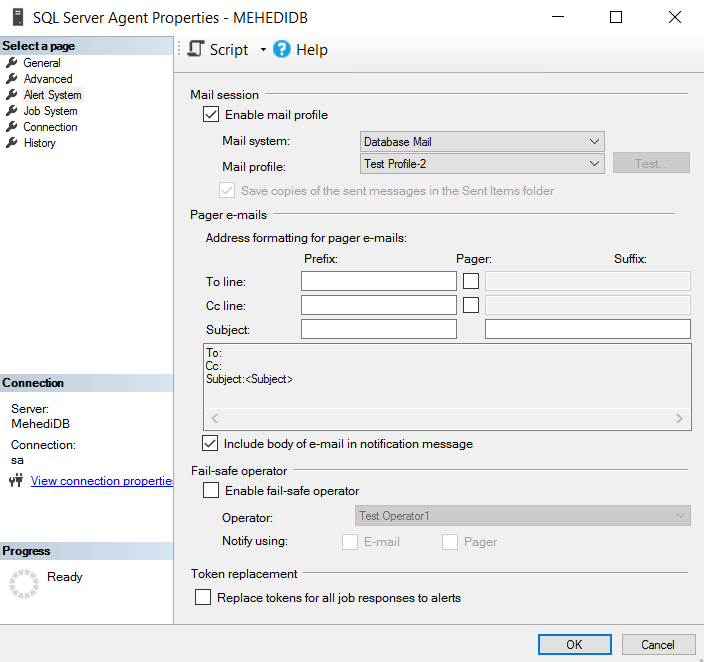
Figure-10: Configure Alert System
Now, restart the SQL Server Agent to activate the configuration. Be careful doing it in your production environment as it may cancel any running jobs.
Go to Object Explorer ->SQL Server Agent ->Alerts ->New Alert. Put a name, select SQL Server performance condition alert type and others as shown in the Figure-11.
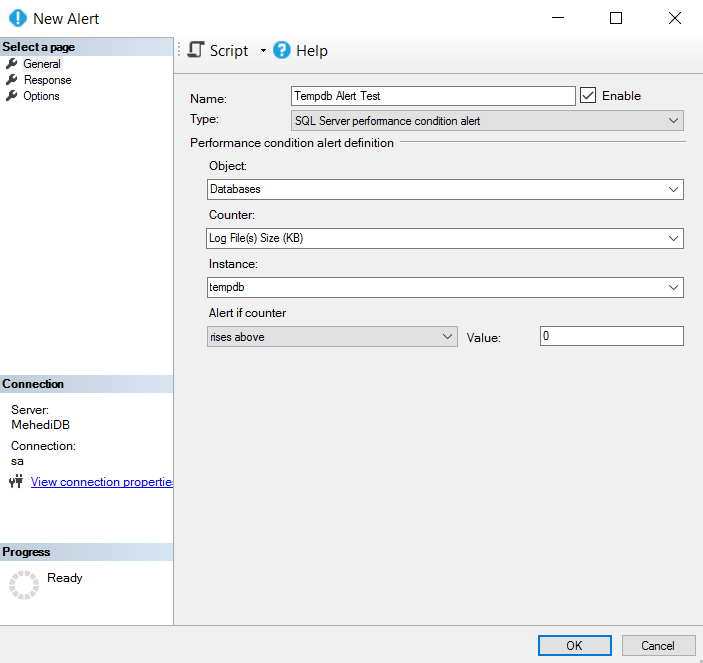
Figure-11: Setup a new alert
In response tab, select Notify operators and E-mail option (Figure-12).
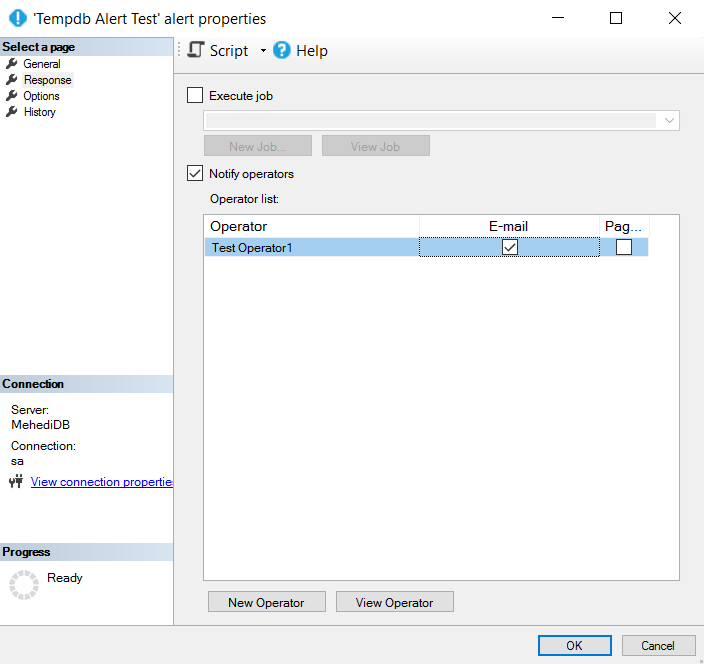
Figure-12: Setup a new alert
In Options tab, select E-mail and put delay between response as 60 minutes and press OK (Figure-13). You can check the logs from History tab.
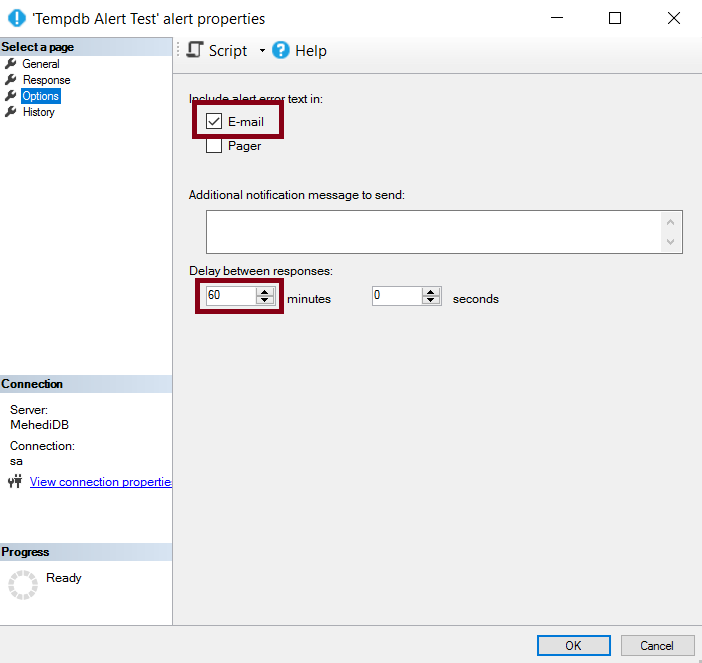
Figure-13: Setup a new alert
Check your mail account, you supposed to receive the mail notifications.
Send Mail as per Your Own Logic
You can develop your own customize logic to notify your operators about any event. Assume, you have a table Table1 with a field status = 0, for unprocessed rows. If there exists any rows with status = 0, system will send a notification mail. Create a new Agent Job and execute Code Snippet-1.
IF EXISTS(SELECT * FROM Table1 WHERE status = 0)
Begin
    EXEC msdb.dbo.sp_send_dbmail
        @profile_name = 'Test Profile-2',
        @recipients = 'mamehedi.hasan@gmail.com',
        @subject = 'Alert: Table1 contains rows with Status = 0',
        @body = 'At least one row in dbo.Table1 has Status = 0. Please investigate.';
End

-- Code Snippet-1
Final Words
SQL Server Database Mail is more than just an email-sending feature. It is an important part of a DBA's monitoring and alerting strategy. Proper configuration, regular testing, and meaningful notifications can help DBAs identify critical issues and respond before they turn into major operational problems. Remember, detecting a problem is important, but making sure the right person knows about it is what truly matters.
References
Going Further
If SQL Server is your thing and you enjoy learning real-world tips, tricks, and performance hacks—you are going to love my training sessions too!
Need results fast? I am also available for 1-on-1 consultancy to help you troubleshoot and fix your database performance issues.
Let’s make your SQL Server to take your business Challenge!
For any queries, mail to mamehedi.hasan[at]gmail.com.